


In recent years, artificial intelligence has become increasingly prevalent in nearly every aspect of daily life. AI technology isn’t just powering popular tools such as ChatGPT: people around the world use it to streamline daily tasks and solve complex problems. For instance, AI-powered devices help healthcare experts diagnose health issues earlier, and businesses use AI to improve customer service.
But AI has also changed our collective online experience.
The internet has become inundated with AI content, making it difficult to decipher what’s real and what isn’t. Criminals also use AI to create convincing fraud schemes. Since seniors struggle to detect AI content, older people often fall victim to these AI-powered schemes.
AI training tools for seniors can be helpful because they leverage real-world scenarios to educate older adults. However, AI technology is constantly evolving, so AI detection strategies used today might be less effective in the near future.
That’s why the most reliable way older people can stay safe online is by developing foundational awareness and habits that remain applicable no matter how technology changes.
With that in mind, here are eight tips to help older adults stay safe in an AI-driven world.
Basic AI Tips for Seniors
Criminals now use AI to create deceitful scams in many forms, including text messages, emails, images, voice recordings, and even videos. Some scams look like everyday emails, while others are more elaborate, such as this report of fake business websites designed to trick unsuspecting shoppers.
Trying to keep up with every possible scam tactic can be overwhelming. Instead, you can start with these fundamental practices that apply to most situations you’ll encounter on the internet.
Tip #1: Be Cautious With Suspicious Emails
If you have an email address, you likely have received suspicious messages in your inbox. Scammers now use AI to make fraudulent emails look more legitimate with impersonation tactics, realistic-looking email signatures, and personal details scraped from social media and other public sources.
Even so, you can still keep yourself safe by performing these simple checks:
- Check the Sender’s Email Domain: Does it match the company’s website domain? For instance, you might receive an email claiming to be from ‘Apple,’ but the sender’s email address and domain are apple-456@yahoo.com—a clear sign of fraudulent behaviour. Scammers also use subtle misspellings that you might miss at first glance, such as replacing the ‘L’ in ‘PayPal’ with a ‘PayPa1’.
- Be Wary of Attachments and Links: Were you expecting an email with attachments or links? Often, these types of fraudulent emails include language such as ‘Click here to verify your account,’ and attachments are in .zip, .exe, .html, and .docm formats. If you weren’t expecting attachments, do not click them, and if you’re unsure about a link, hover your mouse over it to check where the URL leads. Most email providers, such as Gmail and Yahoo, will show the web URL address somewhere on the screen when you hover over a hyperlink—most commonly in the bottom left corner.
- Watch for Generic Greetings and Odd Spelling: Should the sender know your name? Many scam emails begin with vague greetings such as ‘Dear customer’ or ‘Dear user,’ but legitimate companies you have accounts with will almost always use your actual name. Similarly, AI scam emails can have spelling mistakes and awkward sentence structures, though this will likely change as AI technology becomes more sophisticated.
- ‘You’re the big winner!’: Did you enter a contest? If not, then you didn’t win one. Emails that seem too good to be true are instant red flags, so if you spot language about winning money or qualifying for a unique opportunity, be extremely wary.
If you perform all of these checks and you’re still unsure about a suspicious email, simply err on the side of caution. Don’t click any links, don’t download any attachments, and don’t respond. You can go to the company’s official website (by typing in the URL manually) and follow up with them using their official contact details.
Tip #2: Slow Down When a Message Implies Urgency
‘Your account will be suspended in 24 hours!’
If you’ve spent time online, you’ve probably received threatening messages like this. Urgency tactics pop up in fraudulent emails, but they’re also extremely prevalent on social media platforms such as Facebook and Instagram. Scammers try to create panic with alarming notices and artificial time constraints. They know they’re more likely to deceive you if you aren’t thinking carefully and act during a brief lapse in judgment.
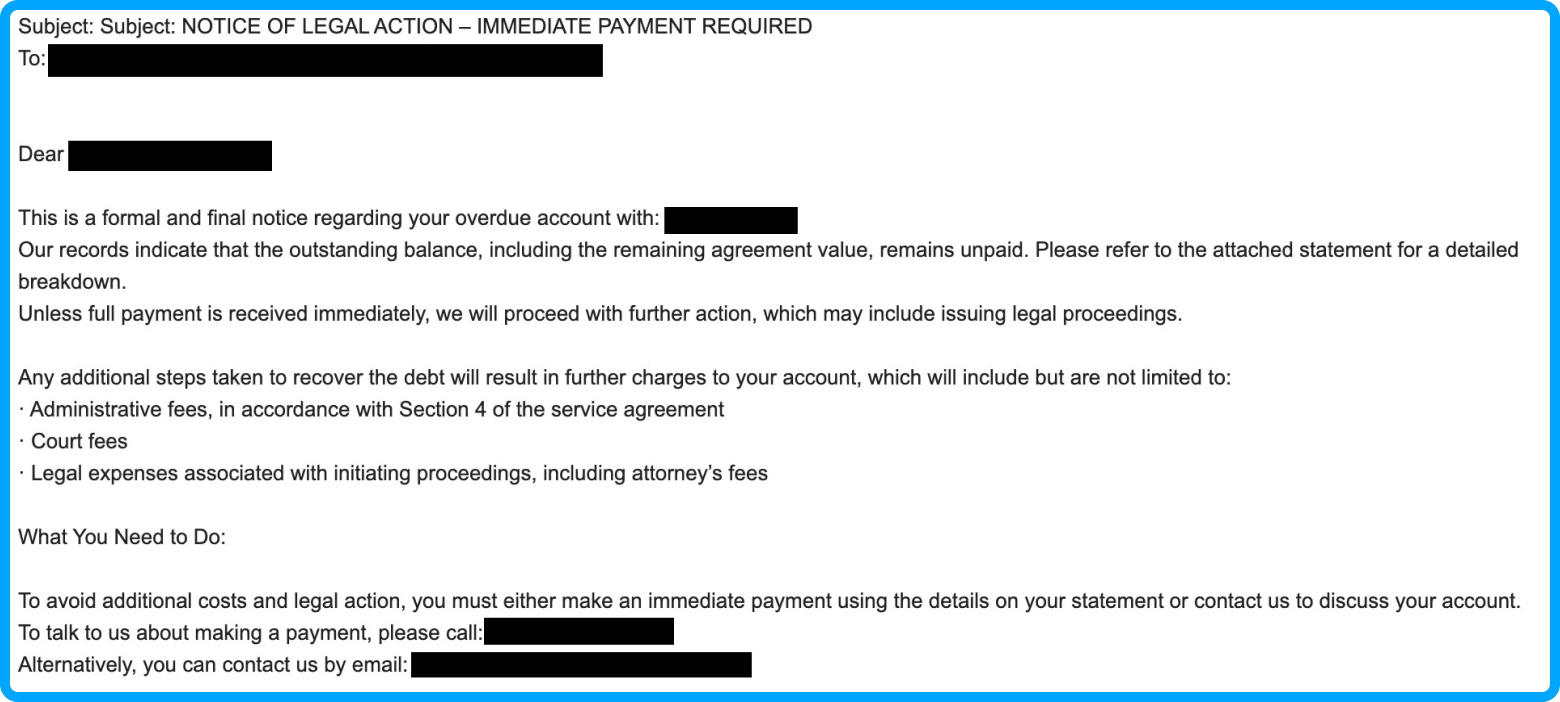
Legitimate companies do not operate like this. They will never ask you to send passwords, credit card numbers, social security numbers, or bank login details via email or direct messages. If they require verification for something, they’ll ask you to do so through their official website to ensure your safety and eliminate security concerns.
Tip #3: Rely on Trusted Sources
Here’s another fundamental AI tip for seniors: make sure you get news from trusted sources.
AI technology has blurred the line between what is real and what isn’t, and the proliferation of ‘fake news’ online means it’s more important than ever to rely on and support trusted sources. When you’re consuming content on the internet—whether that’s reading an article, watching a video, or listening to an audio clip—ask yourself:
- Who created this content, and is that person or organisation a credible source?
- Does the content back up its claims with evidence and clearly listed sources? Can the information be verified elsewhere?
- When was it published? Is it current and still relevant?
It’s also important to separate news from opinion. Even the most trusted news sources, such as The Sydney Morning Herald, The Guardian, and ABC, publish editorial pieces arguing for certain positions. Look for labels on the article such as ‘Opinion’ or ‘Editorial.’
Generally speaking, you can safeguard yourself against being fooled by diversifying your news sources, cross-checking major stories across various platforms, and treating sensationalistic content (‘You won’t believe this!’) with proper caution.
Easy Tools to Help Seniors with AI
In an AI-powered world, your intuition is the most powerful tool you have. If something seems suspicious, it probably is. Trust your eyes, your ears, and your gut. Still, it’s completely normal for doubt to creep in, and when that happens, you can try these tools to keep yourself and your loved ones safe.
Tip #4: Use AI Content Detectors
The deluge of AI content online has been met with an equally staggering number of AI tools, including content detectors that can help you determine who (or what) created a piece of content—human or machine.
AI content detectors, also called AI detectors, analyse text and search for stylistic ‘fingerprints’ indicative of machine-writing processes. They are not plagiarism detectors—AI content detectors are specially trained tools that pinpoint non-human writing patterns in text, scanning everything from sentence structure to word choice.
There are many free AI content detectors online. Examples include Copyleaks, Scribbr, and Originality.ai.
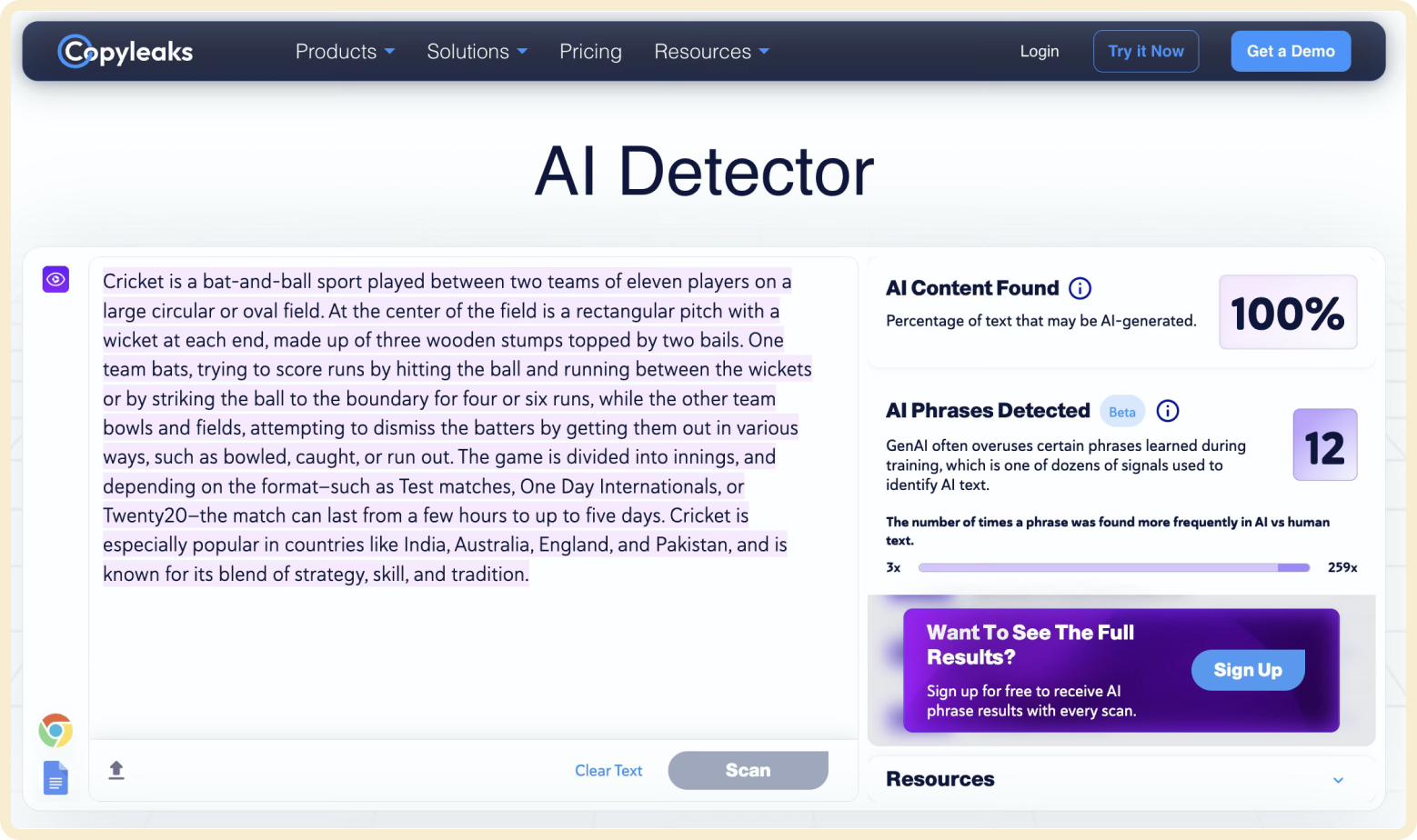
If you think a piece of text you’re reading is AI-generated—perhaps it’s a suspicious email or an emotionally charged news article—you can copy and paste it into an AI content detector to find out how much of it was written by AI. If the results are inconclusive, you can cross-check the findings by repeating the process with a different detector.
Tip #5: Use Reverse Image Search
If AI content detectors are your go-to tools for analysing suspicious text, then Google’s reverse image search is the equivalent for photos and graphics.
A reverse image search scans the internet using a picture instead of words. It can help you determine:
- Where and when a photograph was taken
- Who took the picture
- Where the image appears online
- The number of times the image has been viewed
When you want to verify the legitimacy of an image, there are a couple of ways to use reverse image search:
- Right-click on the image and select ‘Search Google for this Image’ or ‘Search with Google Lens.’ The results page that pops up will show you additional information about the image, including where else it appears online.
- You can also go to images.google.com, click the camera icon, and either upload the saved image from your computer or input the image URL to search for it.
Additionally, AI-generated image detectors are growing in popularity. This image detector on Hive Moderation, for example, can help you determine whether a piece of visual content is authentic or created by AI.
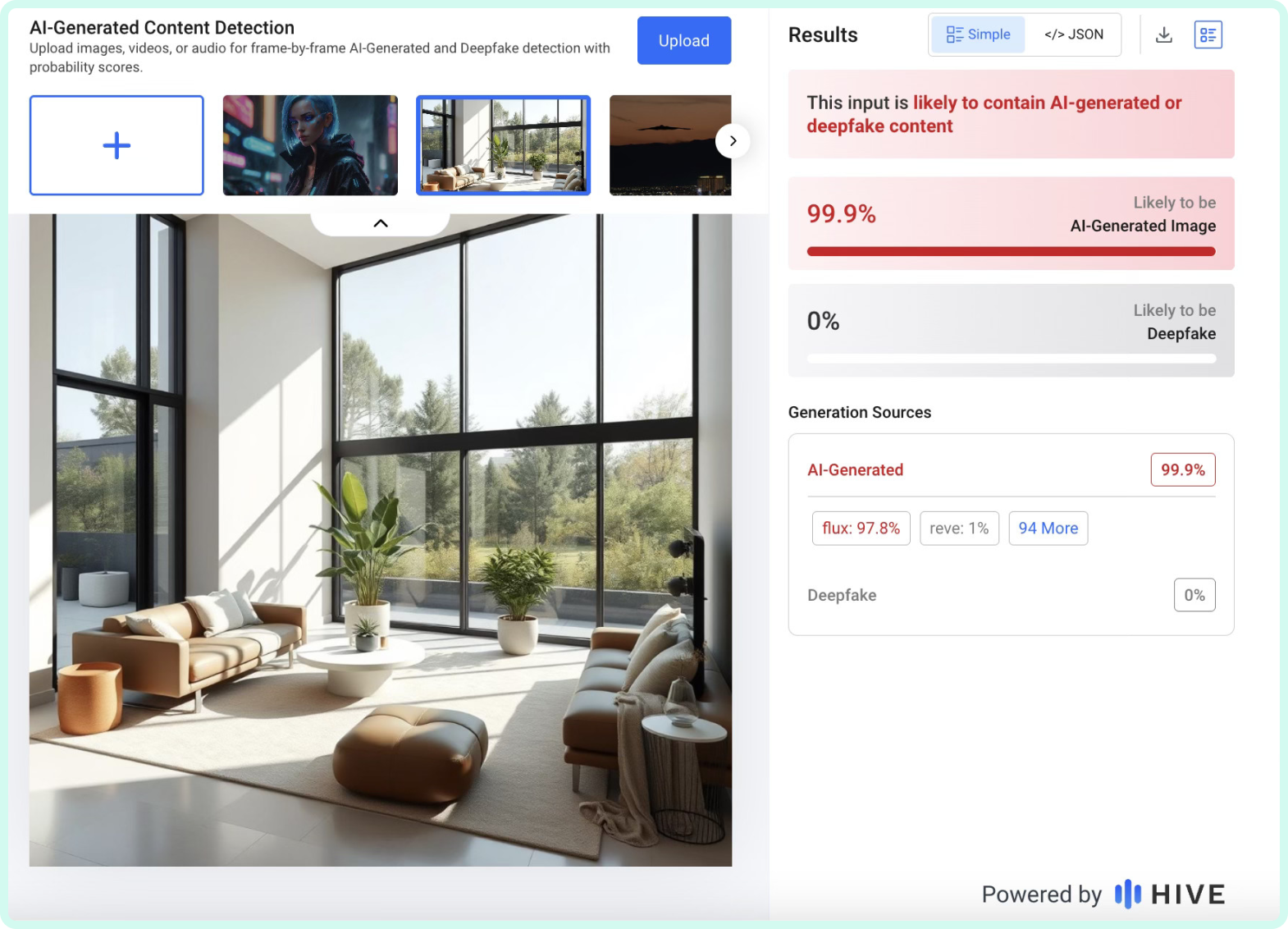
Spotting AI-generated images online with the naked eye is still possible, but as new technology emerges, it’s becoming increasingly difficult to discern what’s real and what isn’t. Asymmetries, subtle distortions, and lighting inconsistencies used to be much more common in AI images, but those have all but disappeared over time.
However, AI-generated images typically don’t appear on reputable websites. If you come across a suspicious-looking image in your social media feed, for instance, a reverse image search can help you verify if it’s a real, commonly used image or something fabricated by a machine.
Tip #6: Devise Protective Passwords
Strong account passwords are essential to staying safe online.
But passwords are no longer just strings of letters and numbers you type while logging into websites: they’re secret codes families use to communicate safely.
AI voice cloning and deepfakes are taking scams to new levels. Criminals use AI to impersonate other people, including relatives and authoritative figures such as law enforcement officers and medical professionals.
Here’s the situation: You receive a phone call from your ‘grandson,’ who tells you he’s just been in an accident and needs money to cover the emergency. Of course, your first instinct is to give him the money—you are immediately placed in a vulnerable position and feel the need to act urgently for someone you love.
But is that call actually from your grandson?
Trusted family passwords and phrases help people quickly validate the legitimacy of situations like this. These passwords are spoken, not typed, and effective ones follow these guidelines:
- They are different from other passwords in your everyday life, such as the ones you use online
- They aren’t things scammers can easily find, such as street names or pet names
- They are unique, easy to remember, and shared only amongst your closest family members and friends
Passwords aside, if you do find yourself in a situation similar to the example above, hanging up the phone and immediately calling the person back using the number you have stored is always a reliable way to verify someone’s identity.
Technology-Free Online Safety Tips
Sometimes, the best way older adults can stay safe online is by stepping back and reassessing a situation from a healthy distance. AI training for seniors and educational courses are helpful, but even the most effective tools lack the impact of simply taking a beat to consider the situation and potential outcomes.
Tip #7: Practice Proactive Scepticism
When you’re online—especially on social media or forums—keep this in mind: anyone can publish anything, whether it’s factual or not.
A proactively sceptical mindset might feel unnatural at first, but at a time when the line between what’s real and what isn’t has become so blurred, it’s a timeless practice that can keep you safe.
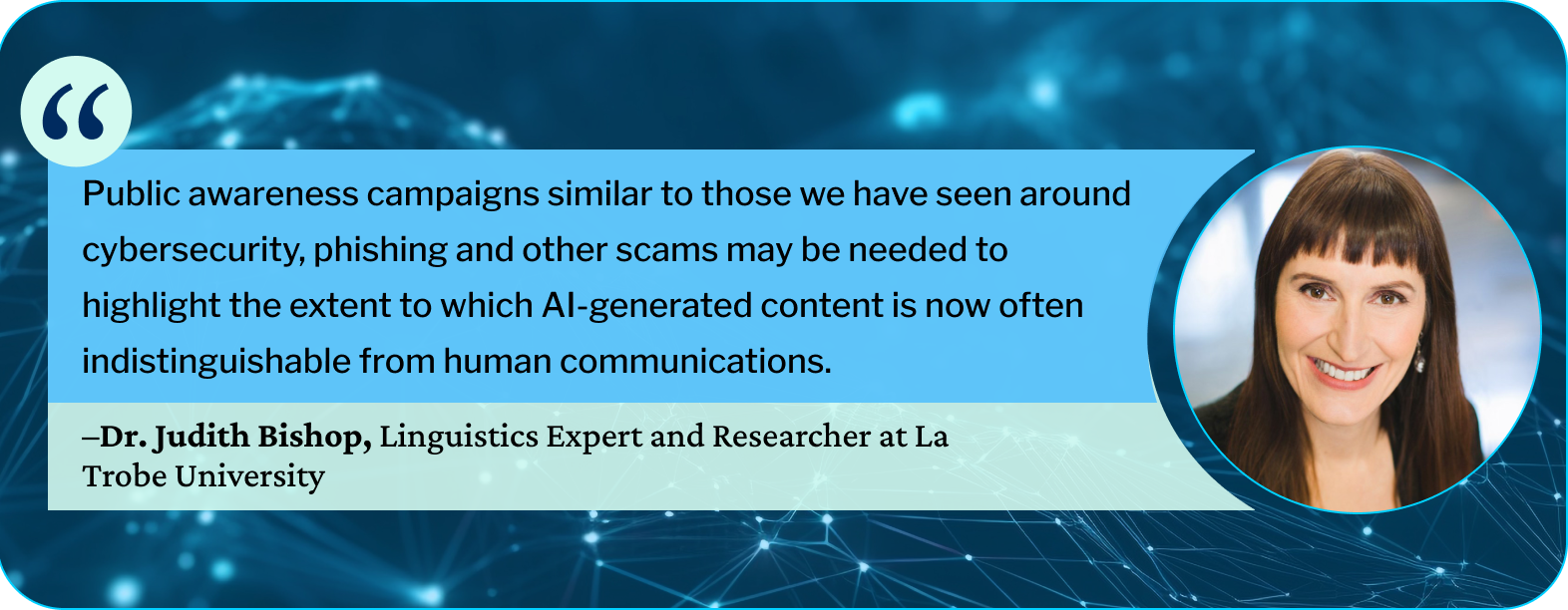
Our team at The CareSide has collaborated with Dr. Judith Bishop to learn more about online safety. A full-time researcher at La Trobe University in Melbourne, Dr. Bishop holds a PhD in linguistics and studies the intersection of language and AI technology. She contends that short-term AI training for older adults may not be effective in the long run because of how quickly AI systems are evolving and becoming more human-like.
‘Informed proactive scepticism is the best approach—not training older adults to be better AI detectors,’ she says. ‘This individual due diligence approach may, in time, be supported by regulatory approaches—such as watermarking AI-generated content—where the information is likely to influence decision-making processes or purchase decisions.’
Until that day comes, when generative AI content is clearly labelled and the playing field is more even, your internal compass—your intuition, instincts, and diligence—can play a critical role in helping you stay safe online and dodge scams.
Tip #8: Seek Second Opinions
And if all else fails? Ask someone else!
This can be easier said than done, especially when so much AI-generated content is designed to elicit strong emotional responses and instant reactions—especially scams.
But that’s the challenge of being online right now. In fact, that’s the challenge of being alive right now. We all face these tricky situations in daily life, and when something seems off, there is no shame in stepping back and asking someone you trust for their opinion. If that isn’t an option, you can try other tactics, such as reading the comments on a suspicious social media post to learn what others are saying about it.
No matter the case, slowing down and erring on the side of caution will almost always be your best bet while navigating the various parts of our AI-powered society.
AI for Seniors: Additional Resources
In this technology-driven world of smartphones, smart homes, chatbots, virtual assistants, and apps, somehow it can still seem impossible to find trustworthy answers.
Fortunately, reliable resources are beginning to emerge to help older people access quick, easy-to-understand advice on staying safe online. Our team at The CareSide will continue creating AI-focused content for seniors, and in the meantime, here are some of our favourite free resources on the internet:
- Senior Planet from AARP offers many virtual AI resources for seniors, including classes, articles and videos. Their AI for Older Adults guide is a balanced introduction to AI: it not only covers the pitfalls of newer technologies but also the benefits of AI and how it can help people as they age, including AI-assisted medication management, wearable devices, and other wellness-focused initiatives.
- AIandYou is a non-profit organisation based in the U.S., and its section for seniors is stocked with helpful resources, including a glossary, FAQs, and recent news stories about AI and how it’s impacting the lives of older people.
- The CareSide’s AI training for seniors is a fun, interactive way to learn about AI and strategies for spotting it online. In the training, you’ll take on the role of a digital detective while solving AI cases and gathering helpful tips along the way.